 Dipper Field
Both come from Export standard data on the Project tab:
- Survey points (PNEZD) is a plain point file that Civil 3D, Carlson, Trimble Business Center and similar software read as points.
- CAD delivery (DXF) is a drawing of points, lines and areas, with a package of attributes, inspection history, original photos and pages to browse them offline.
Both need a projected coordinate system, never longitude and latitude. Ask the recipient for the EPSG code and the unit. For State Plane, check whether they want US survey feet (ftUS), international feet (ft) or meters. See coordinate systems for import and export.
Before you start
- For PNEZD: a record type of points.
- The recipient's coordinate system. Prefer a NAD83(2011) zone. A zone on the original NAD83, whose name starts with NAD83 /, needs the NAD83 conversion files, about 100 MB. See coordinate and height data downloads.
- For NAVD88 elevations: the United States height files, and records measured with a receiver that reports ellipsoidal heights.
Make a PNEZD point file
Open the Project tab and tap Export standard data.
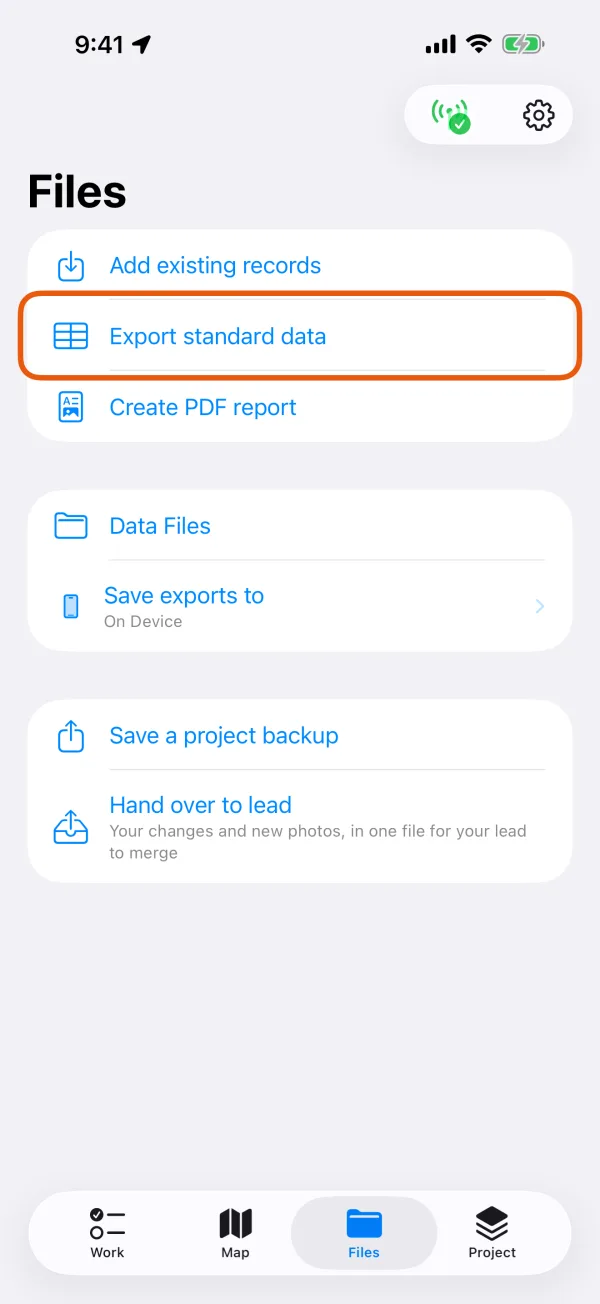
The Project tab, with Export standard data marked. 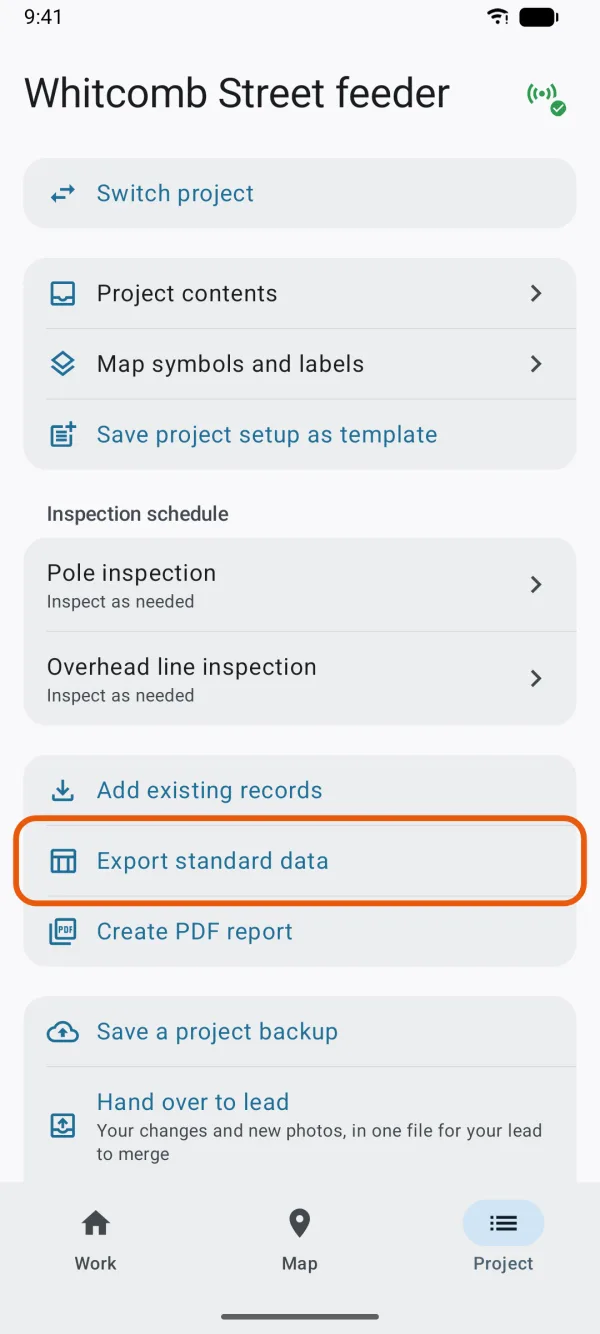
The Project tab, with Export standard data marked. Choose the Record type, then Survey points (PNEZD) under Format.
It can be chosen only for a record type of points. The line under it says One line per point: number, northing, easting, elevation and description, for survey and CAD software. Elevations are in the grid's unit.
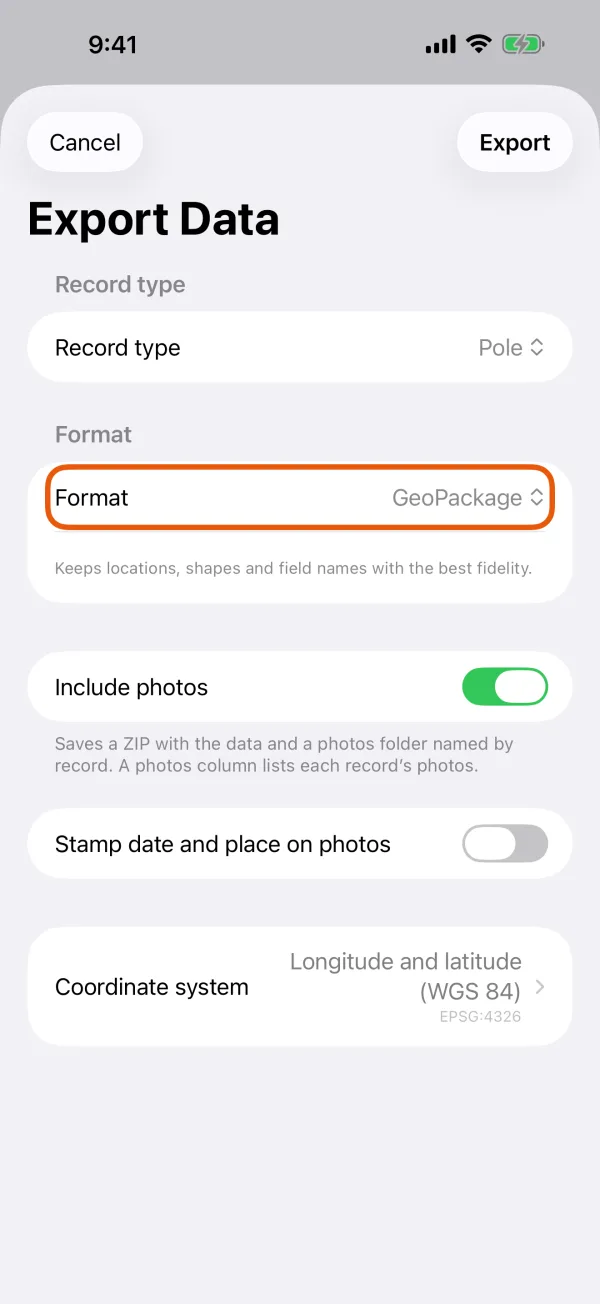
The record type, the format and what the format keeps. 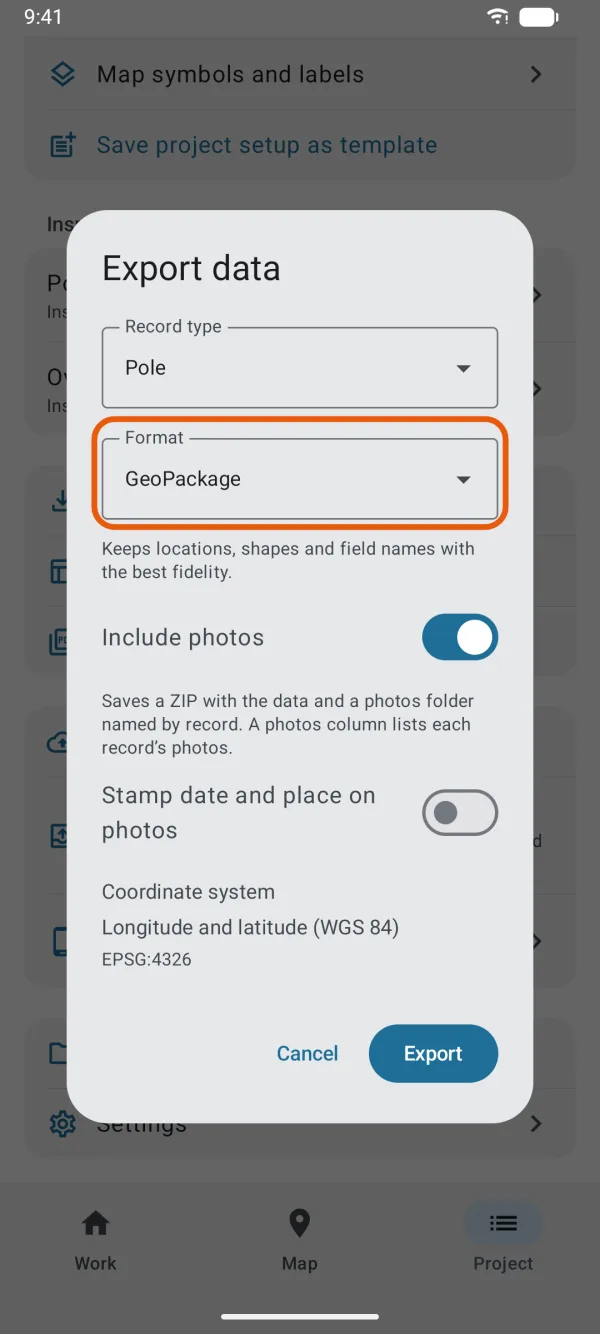
The record type, the format and what the format keeps. Choose the Column order and the First point number.
PNEZD writes the northing first, PENZD the easting. Points are numbered from the First point number, which can be 1 to 999,999,999.
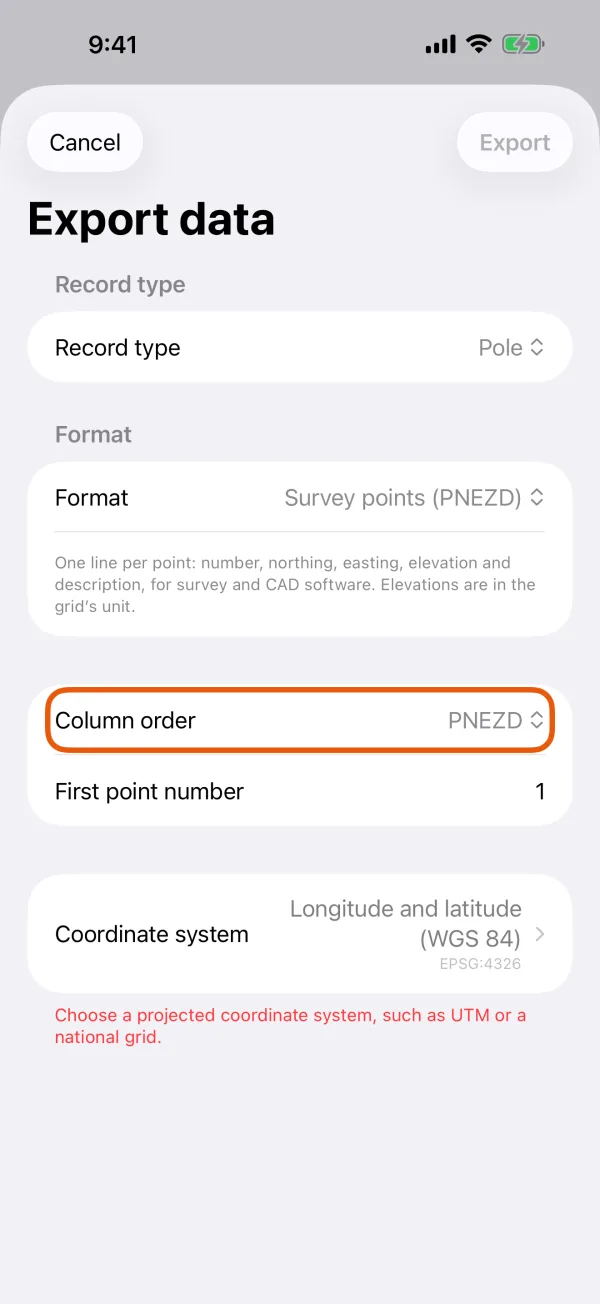
Column order and First point number. 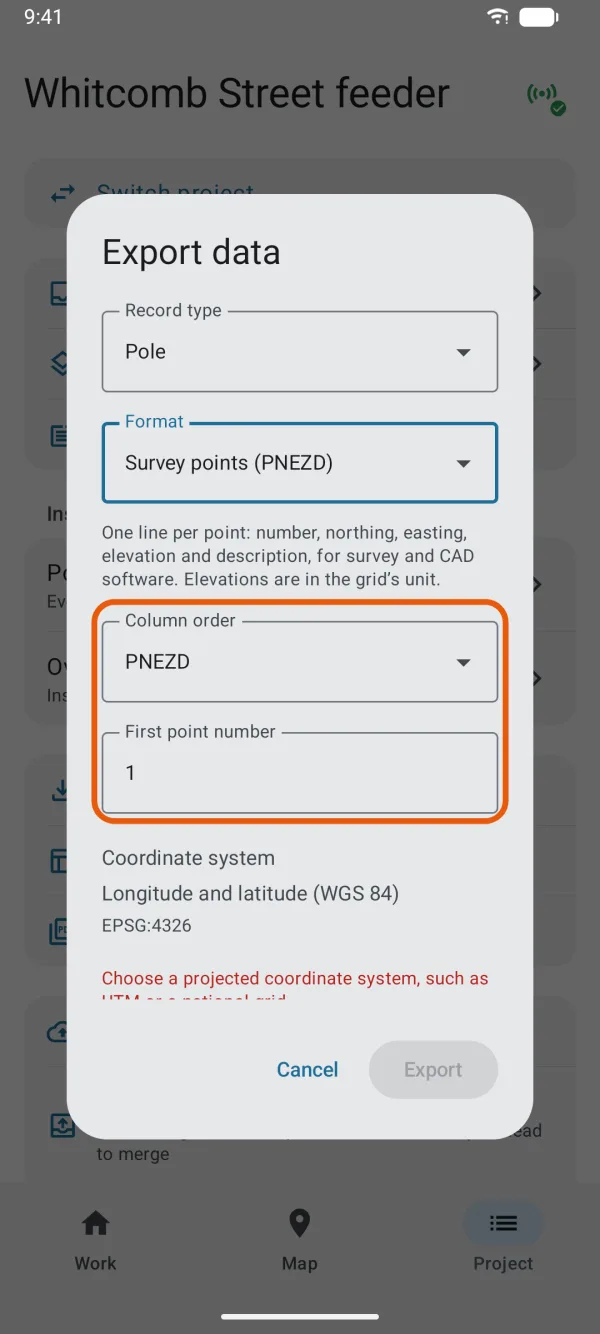
Column order and First point number. Choose the Coordinate system.
It starts at the system you work in, set in Settings. Choose a projected one, such as NAD83(2011) / California zone 3 (ftUS), EPSG:6420. With longitude and latitude chosen, the app says Choose a projected coordinate system, such as UTM or a national grid. and Export stays off.
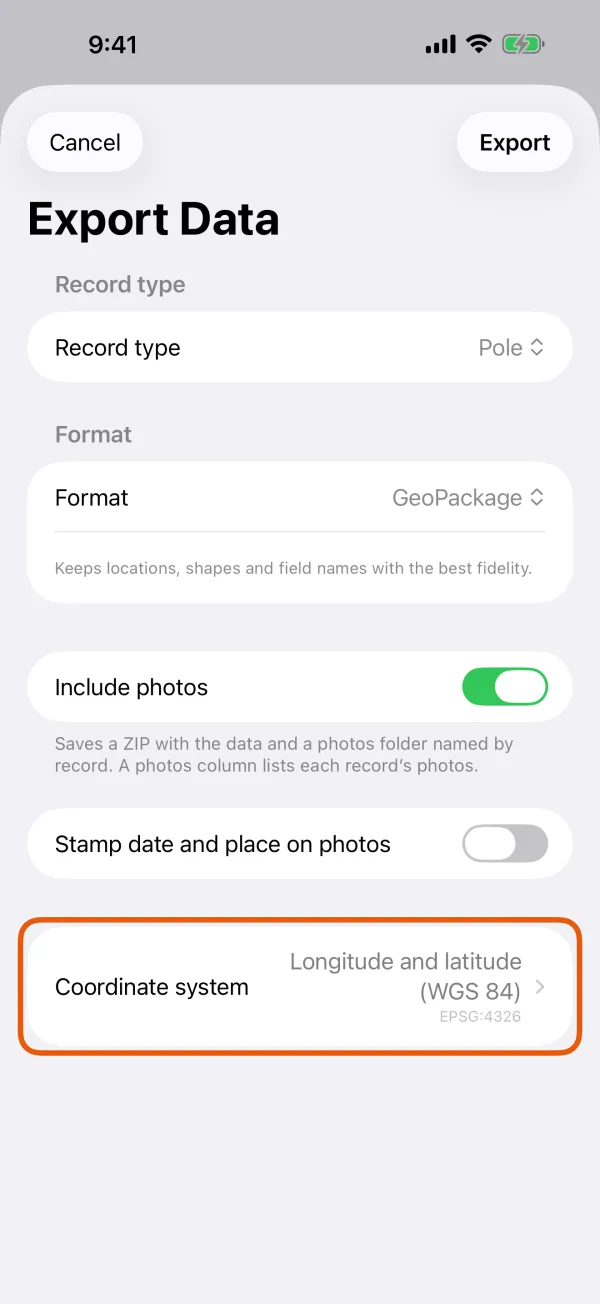
The Coordinate system row, with the name and EPSG code. 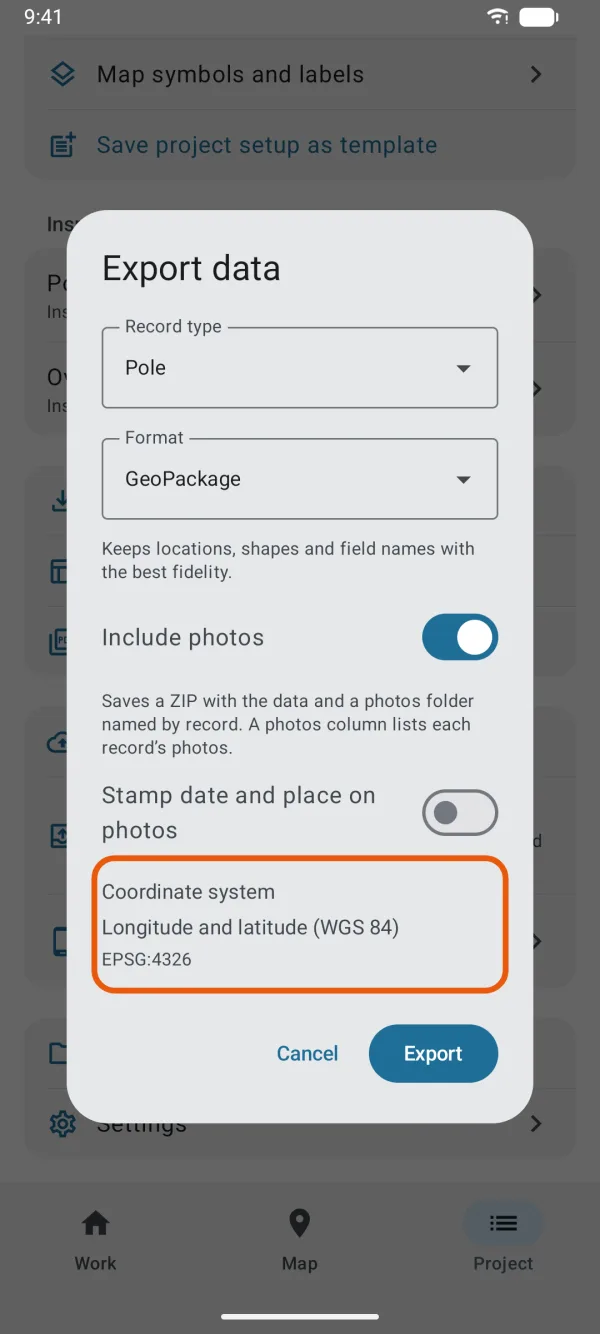
The Coordinate system row, with the name and EPSG code. Optional: give elevations in NAVD88.
Where the zone has a national height system, a switch appears, such as Elevations in NAVD88 (GEOID18), on by default. See elevations below.
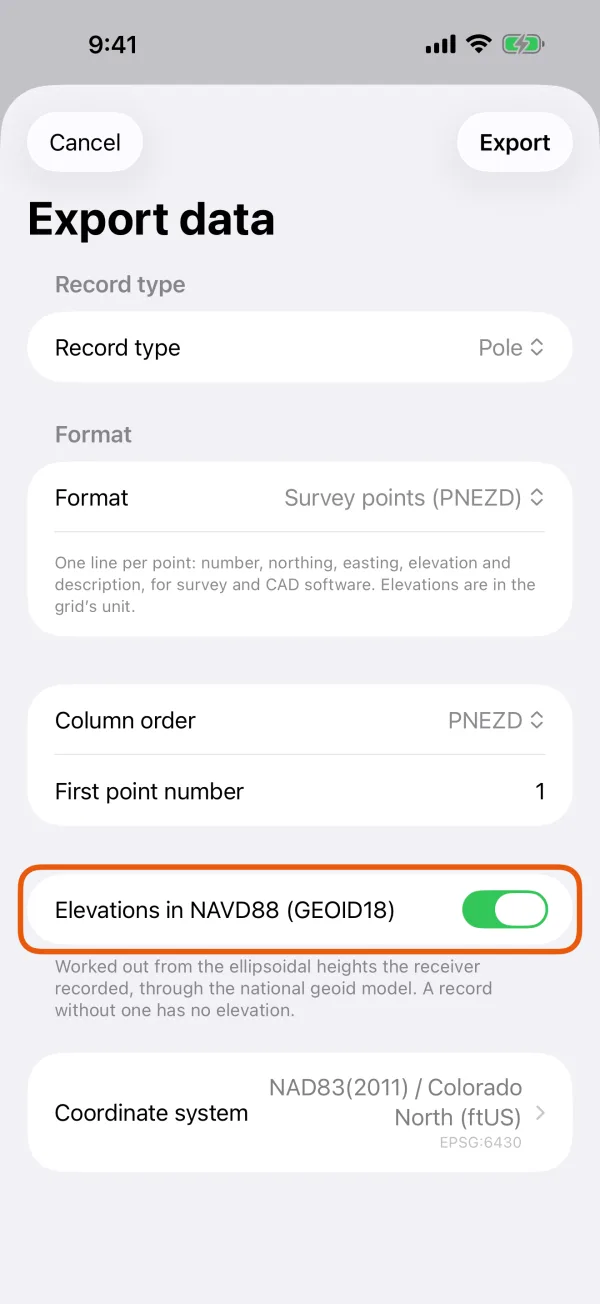
The NAVD88 switch, with how the elevations are worked out. 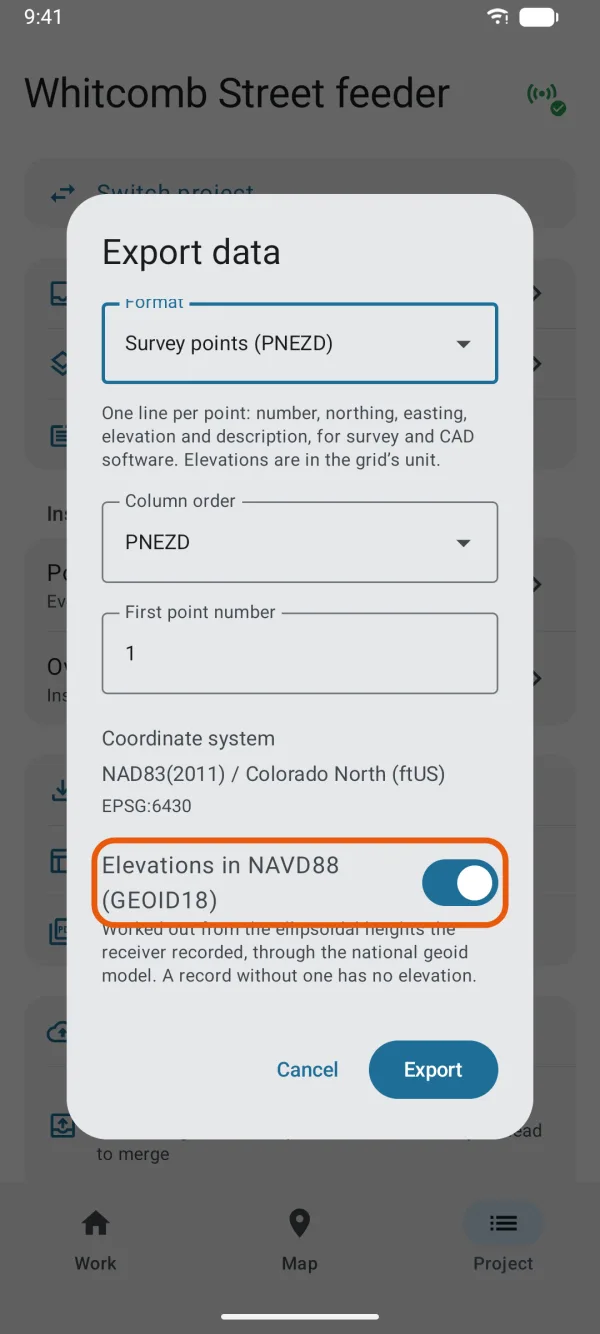
The NAVD88 switch, with how the elevations are worked out. Tap Export.
The file goes to Data Files, or to the location chosen under Save exports to.
What's in the file
The file is named after the project, the record type and the order, such as Storm Survey - Manholes PNEZD.csv. It has no header row, only one line per point:
1,2045311.204,6201123.876,312.450,Manholes MH-12
- Number: counted up from the first point number, in the order the records were made.
- Northing and easting: in the coordinate system's unit, to three decimals. PENZD swaps them.
- Elevation: in the same unit, to three decimals. Left empty for a record without a height.
- Description: the record type's name, then the record's ID or its first text answer. Commas, quotes and line breaks become spaces.
Deleted records and records without a location are left out.
Elevations
- With Elevations in NAVD88 (GEOID18) on, elevations are worked out from the ellipsoidal heights the receiver recorded, through GEOID18. A record without an ellipsoidal height gets no elevation, rather than a height in another system.
- With it off, elevations are the heights as the receiver recorded them.
- The switch can't be turned on until the United States files are on the phone. A Download button appears below it until then.
Alaska zones use NAVD88 (GEOID12B), and the Puerto Rico zone PRVD02 (GEOID18). Hawaii zones have no national height system, so there's no switch. More in heights, NAVD88 and GEOID18.
Make a CAD delivery package
In Export standard data, choose CAD delivery (DXF) under Format, and tap Next.
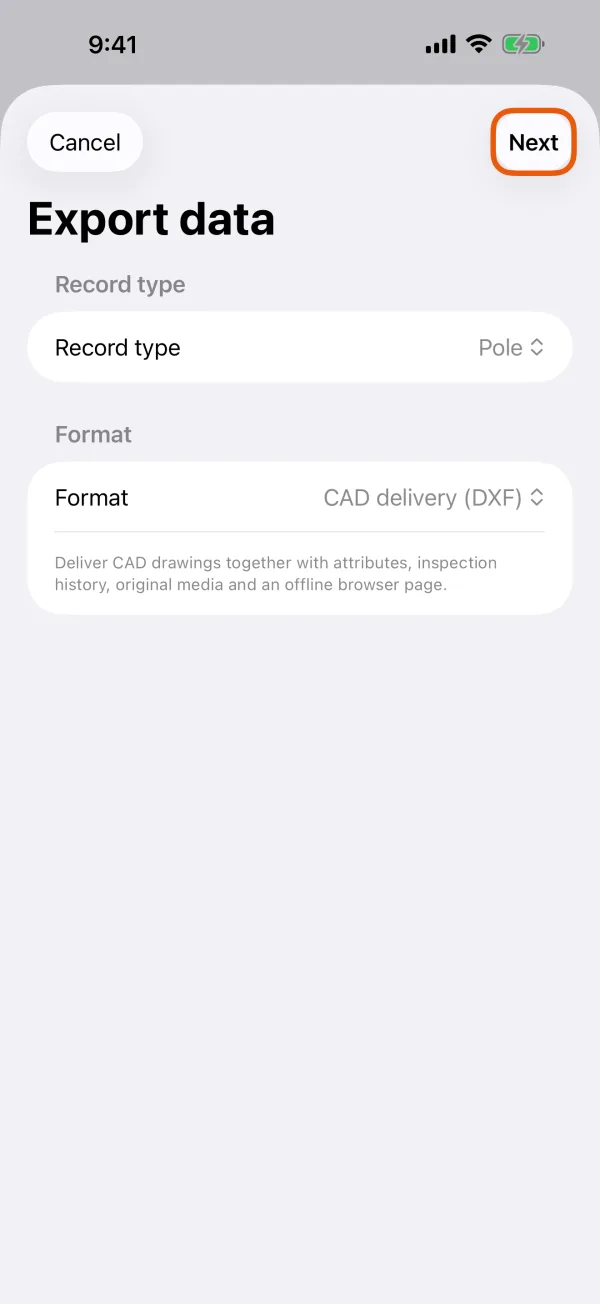
CAD delivery (DXF) chosen, with Next. 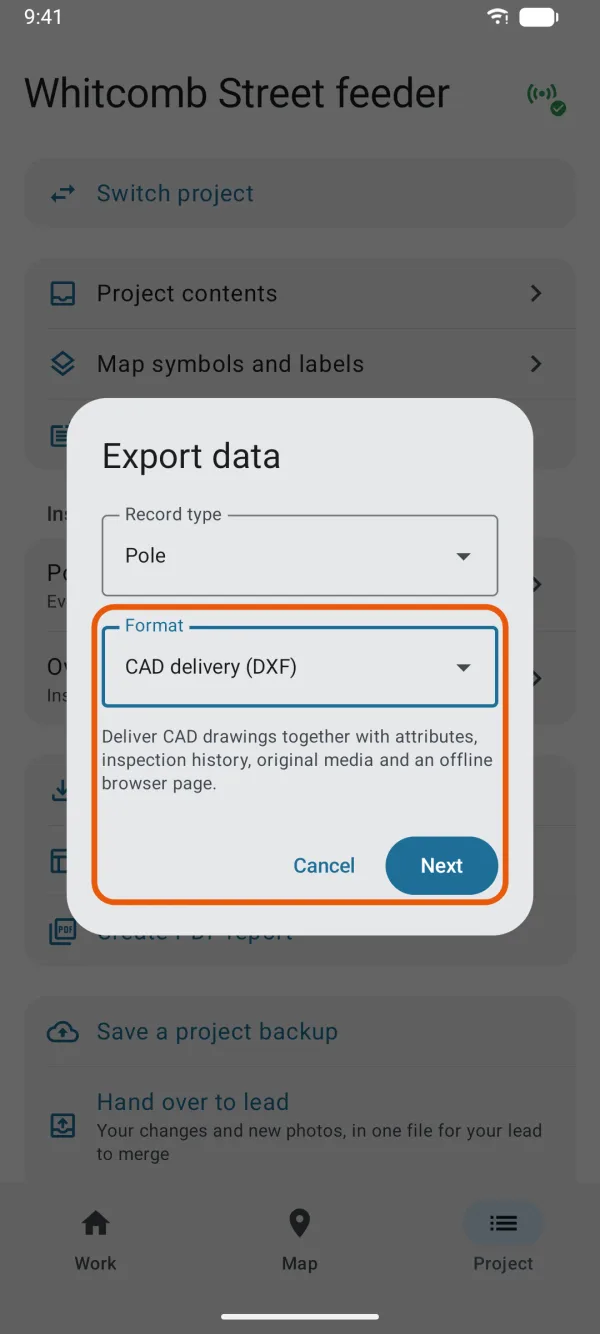
CAD delivery (DXF) chosen, with Next. Choose the Record type.
All record types or one. The records you choose bring their linked assets or inspection history along. Deleted records and drafts are left out.
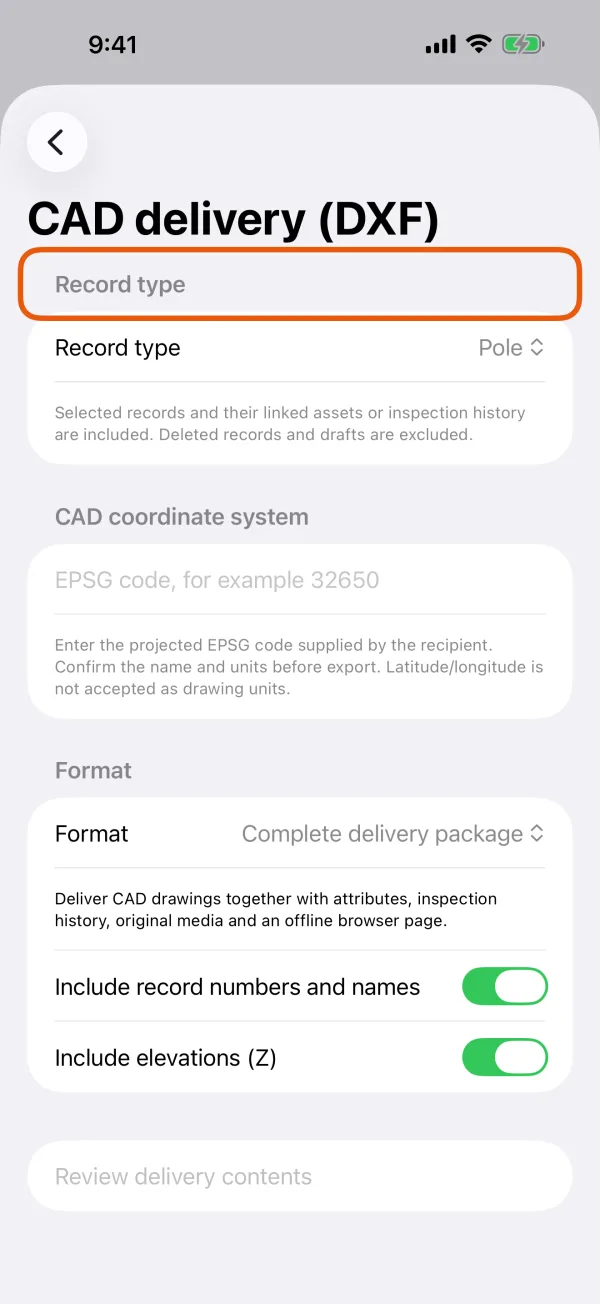
The record types to deliver. 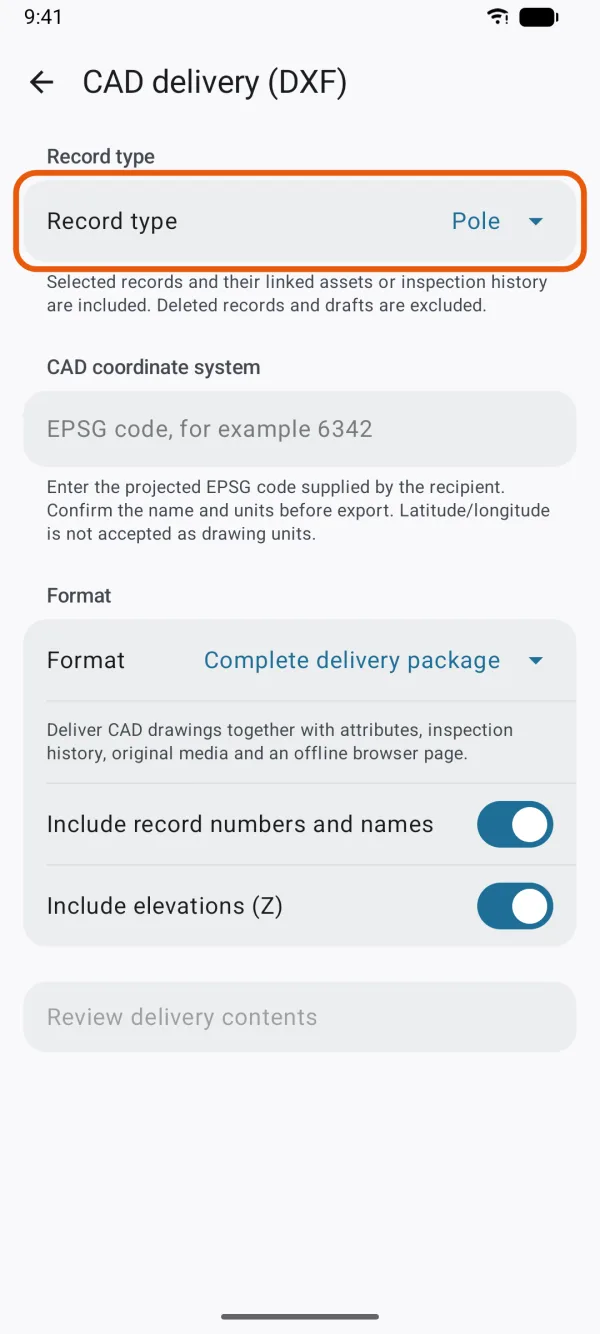
The record types to deliver. Enter the EPSG code under CAD coordinate system.
For example 6539 for NAD83(2011) / New York Long Island (ftUS). EPSG:6539 works too. After an export, the project remembers the code for next time.
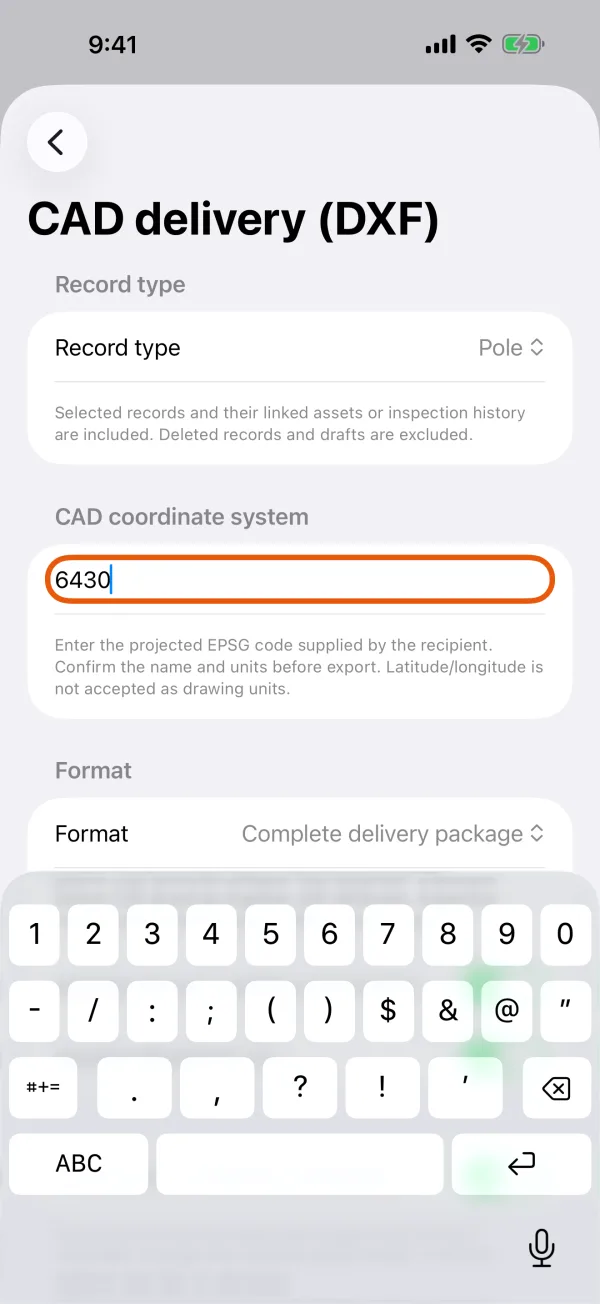
The EPSG code field. 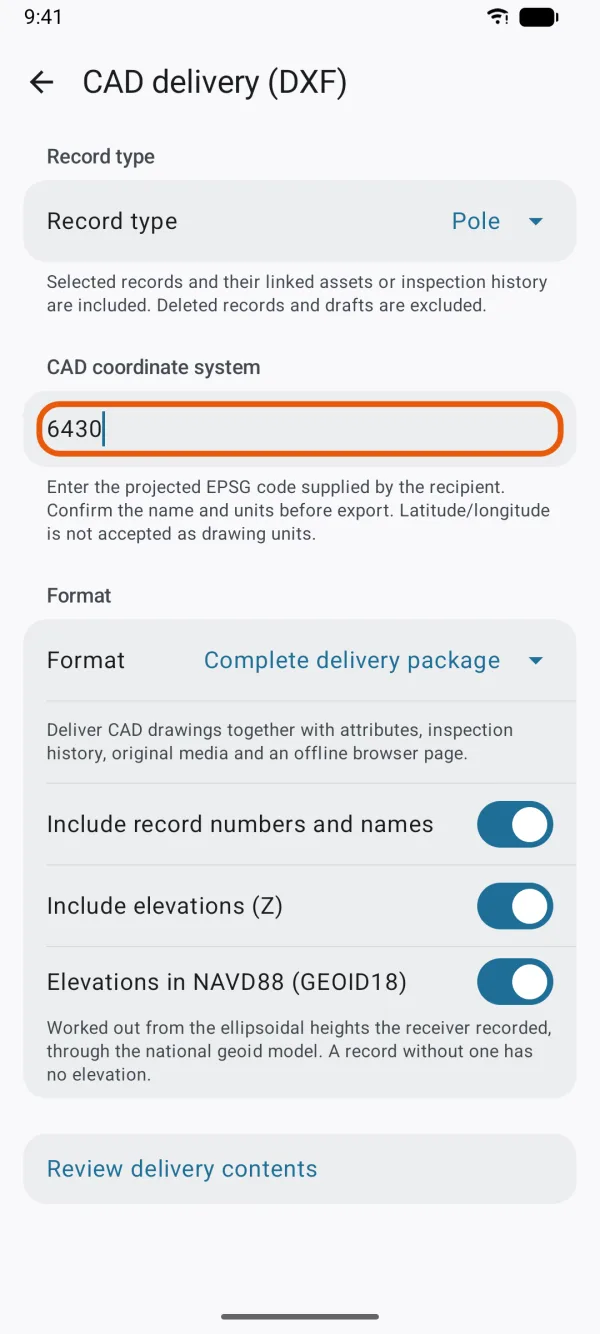
The EPSG code field. Choose what to deliver.
Complete delivery package or DXF drawing only, which has no full attributes, inspection history or media. Include record numbers and names adds labels. Include elevations (Z) draws heights. Where the zone has a national height system, the elevations switch appears below, as for PNEZD.
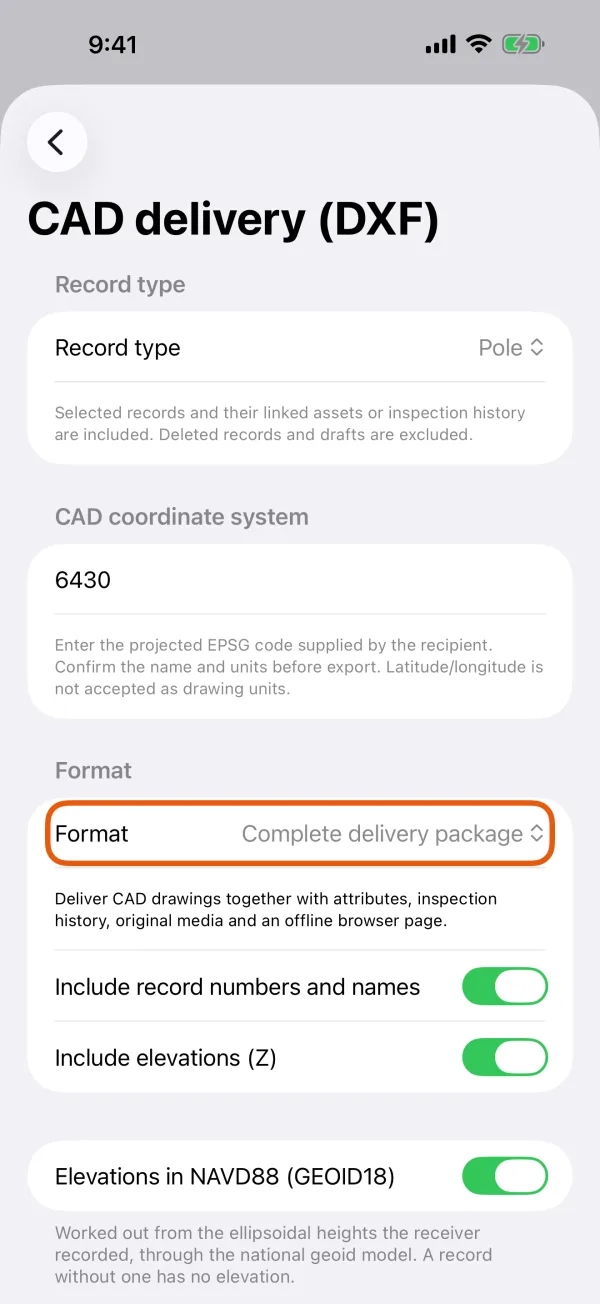
The package choice, labels and elevations. 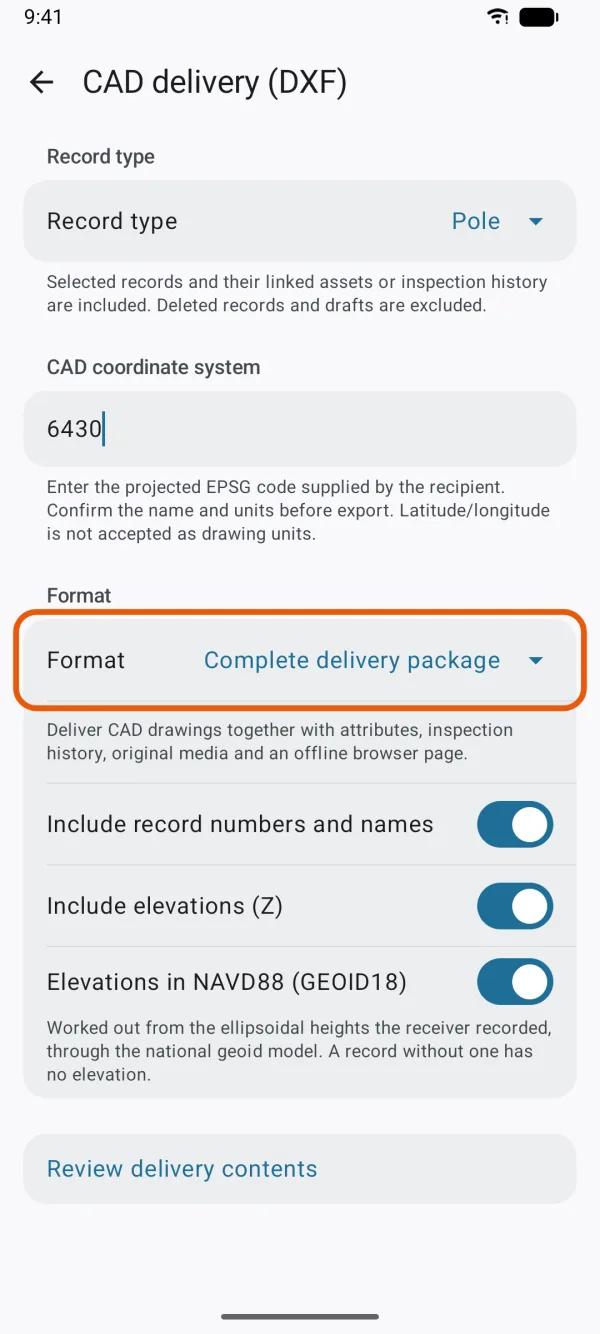
The package choice, labels and elevations. Tap Review delivery contents.
The app shows the coordinate system's name and unit, and counts Records, Inspection records, Media files and Records without a CAD location, with the Estimated package size. Change export settings takes you back.
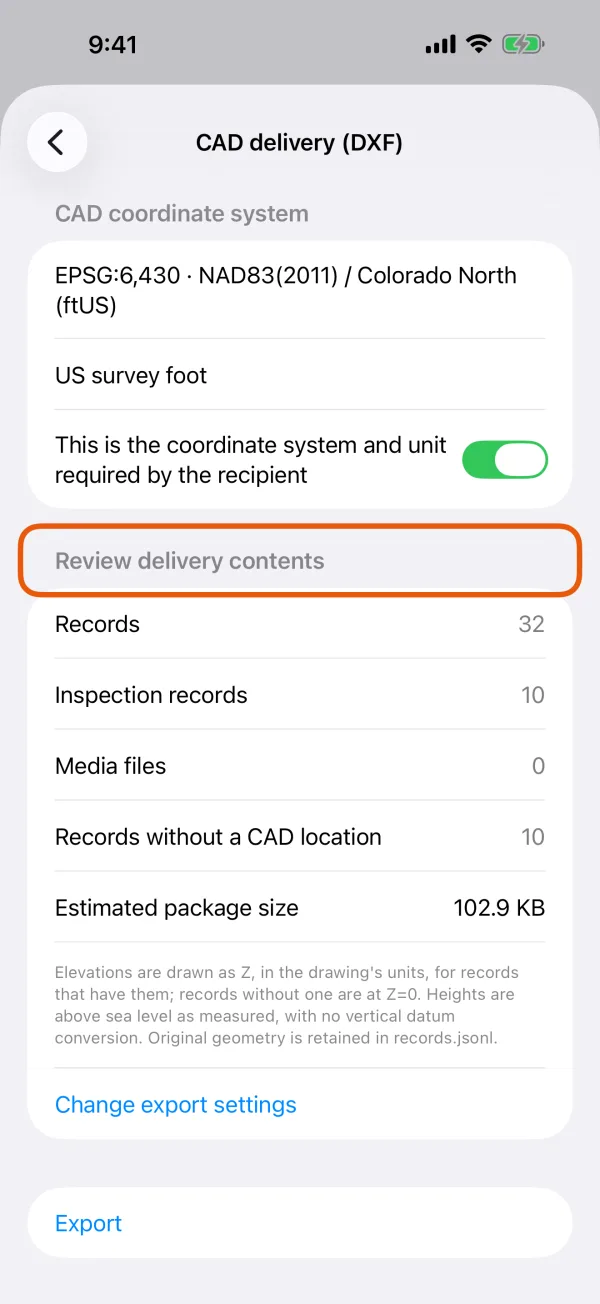
The counts and the estimated size. 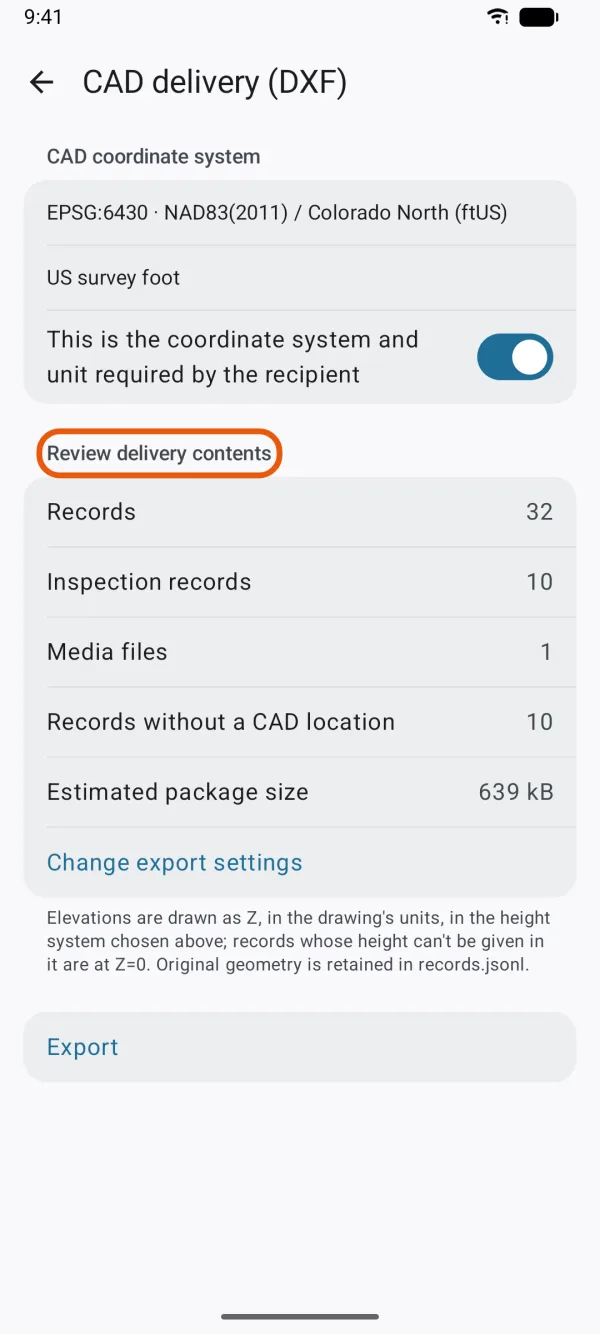
The counts and the estimated size. Turn on the confirmation and tap Export.
This is the coordinate system and unit required by the recipient must be on. The app says Copying and verifying delivery…, then saves the file to Data Files or the location under Save exports to.
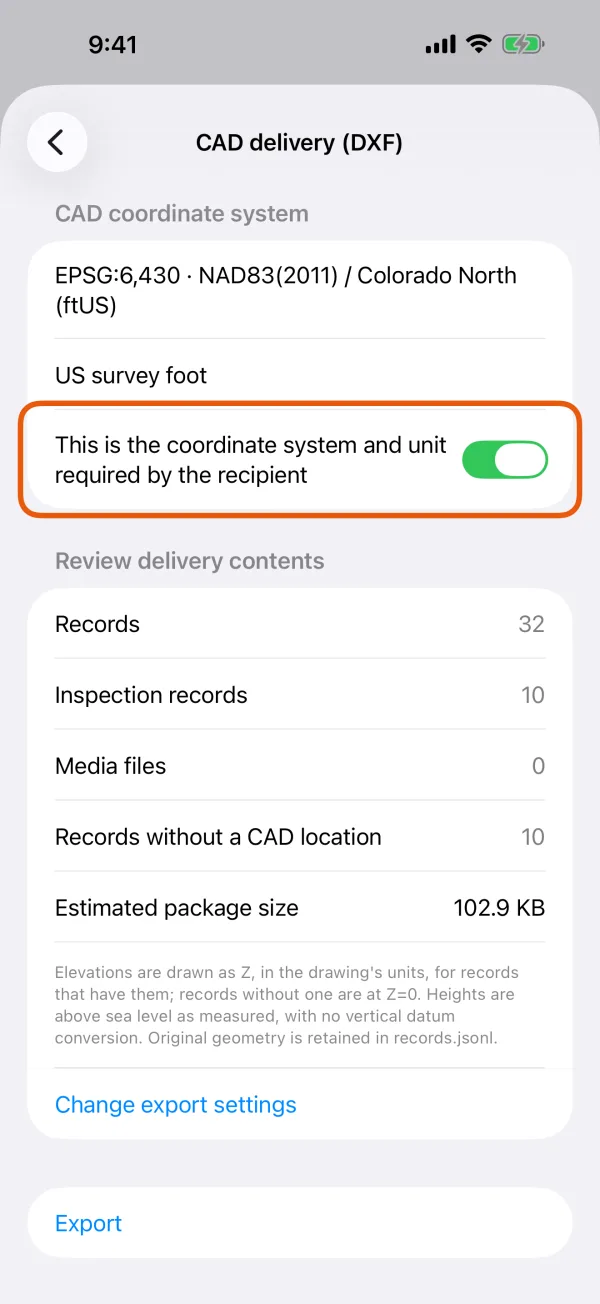
The confirmation switch above Export. 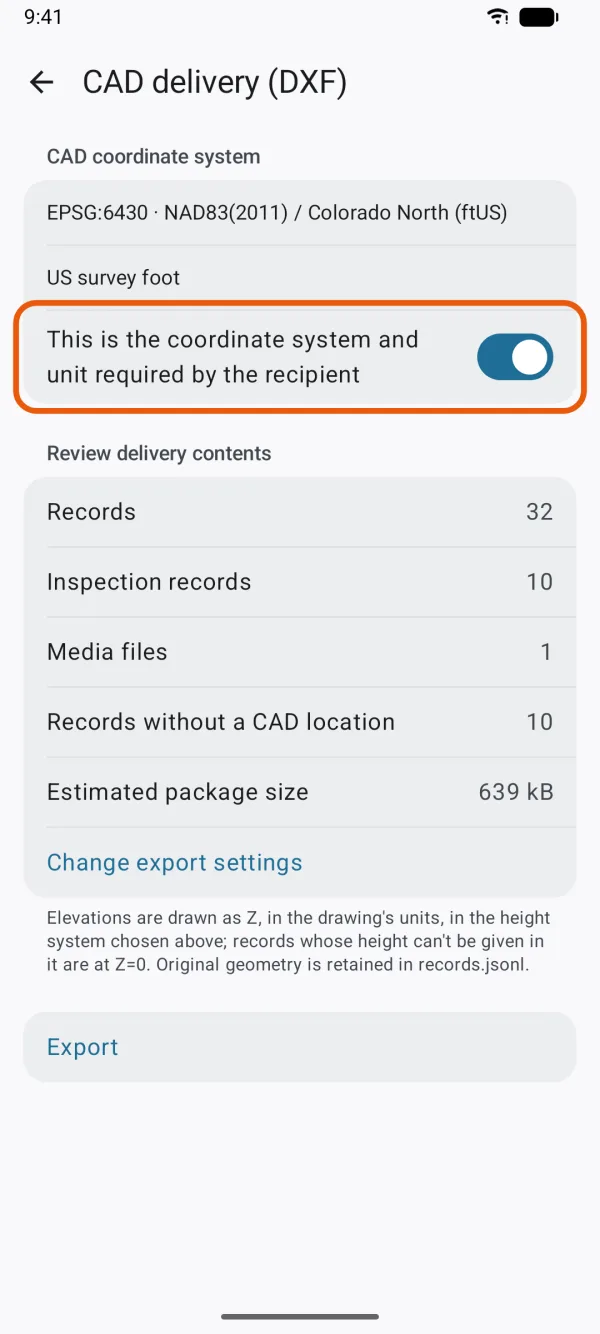
The confirmation switch above Export.
The drawing
- Units: the drawing's unit is set in the DXF: meters, millimeters, feet or US survey feet, from the coordinate system. A system in any other unit isn't accepted: This coordinate system uses unsupported drawing units. Use a CRS in meters, millimeters or feet.
- Layers: one per record type, named W1_, W2_ and so on, followed by the record type's name. Labels go on a matching layer ending in _labels.
- Shapes: points as points, lines as polylines, areas as closed outlines. A shape in several parts becomes several entities.
- Labels: each record's reference, such as R000012, with its ID or first text answer, at the middle of the record, about 5 ft (1.5 m) tall.
- Elevations: with Include elevations (Z) on, heights are drawn as Z in the drawing's unit. Records without a height are at Z=0. With it off, the drawing is flat.
- No guessed positions: the delivery never uses an approximate datum shift. If a location can't be converted exactly, it stops with Some locations could not be converted accurately to this coordinate system. Check the target CRS; required transformation grids may be unavailable.
DXF drawing only gives just drawing.dxf.
The complete package
The package is DipperField-CAD.zip. The recipient extracts the whole ZIP, keeps its folders together, and opens index.html to browse it offline, with no account or server.
| File | What's in it |
|---|---|
| drawing.dxf | The drawing |
| index.html, records folder | A searchable list of records, and a page for each with its answers, linked asset or inspections, photos and links to the original files |
| records.csv, inspections.csv | One row per record: project ID, record ID, reference, record type, asset, the record's page, then every question |
| records.jsonl | The stored values and the original shape in longitude and latitude |
| fields.json | Each question's name, unit and choices |
| cad_entities.csv | Which record each entity in the drawing belongs to, by its handle |
| media.csv, media folder | The original photos and files by record, with photo previews, and a list with capture time, caption, size and checksum |
| README.txt | The coordinate system, unit and counts |
| manifest.json | Every file in the package, with its checksum |
Before it's saved, every photo is checked against its recorded size and checksum, and the finished ZIP is read back and checked file by file.
| It says | What to do |
|---|---|
| A media file is missing, changed or unreadable. Check the original attachments and try again. | Find the record whose attachment is missing, or send DXF drawing only. |
| There is not enough free space to prepare and verify this delivery. | Free up space. The package needs about twice its size while it's made. |
| Delivery verification failed. The incomplete package was not shared. Please retry. | Export again. |
| A record contains unsupported or invalid geometry. Check its shape before exporting. | Fix the record's shape. |