 Dipper Field
Before you start
- A receiver that sends NMEA positions over Bluetooth LE or Wi-Fi. On Android, paired Bluetooth and USB receivers work too. See which receivers work.
- The receiver switched on, nearby, and not connected to another phone or tablet.
- For RTK: the NTRIP details from your correction provider. You add them after connecting.
Open Settings and tap Location source.
It shows This device while you're using the phone's own GPS.
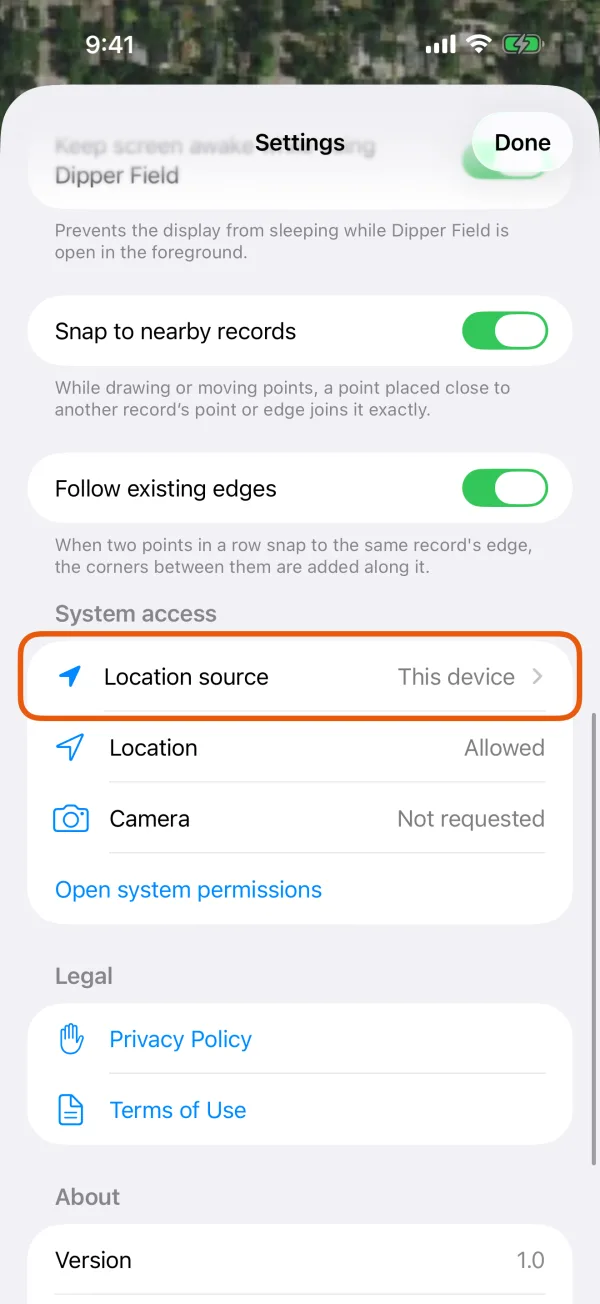
Settings, with Location source marked. Under Nearby Bluetooth devices, tap your receiver.
Receiver on Wi-Fi instead? Tap Connect over Wi-Fi, join the receiver's Wi-Fi or put the phone on the same network, then enter the address and port it sends positions on.
Your receiverReceivers in range appear under Nearby Bluetooth devices. Wait for Receiver connected and Location available.
The page shows the receiver and its Estimated position error. To see the Position type, Standard, RTK float or RTK fixed, tap Location details.
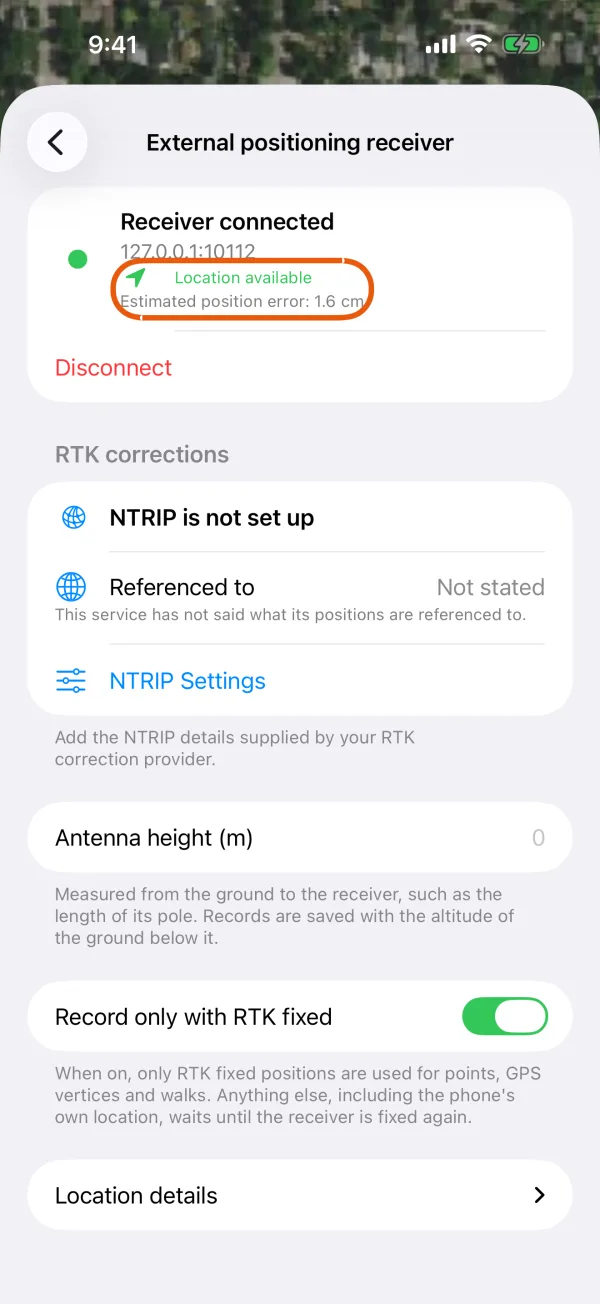
Connected, with the estimated position error. 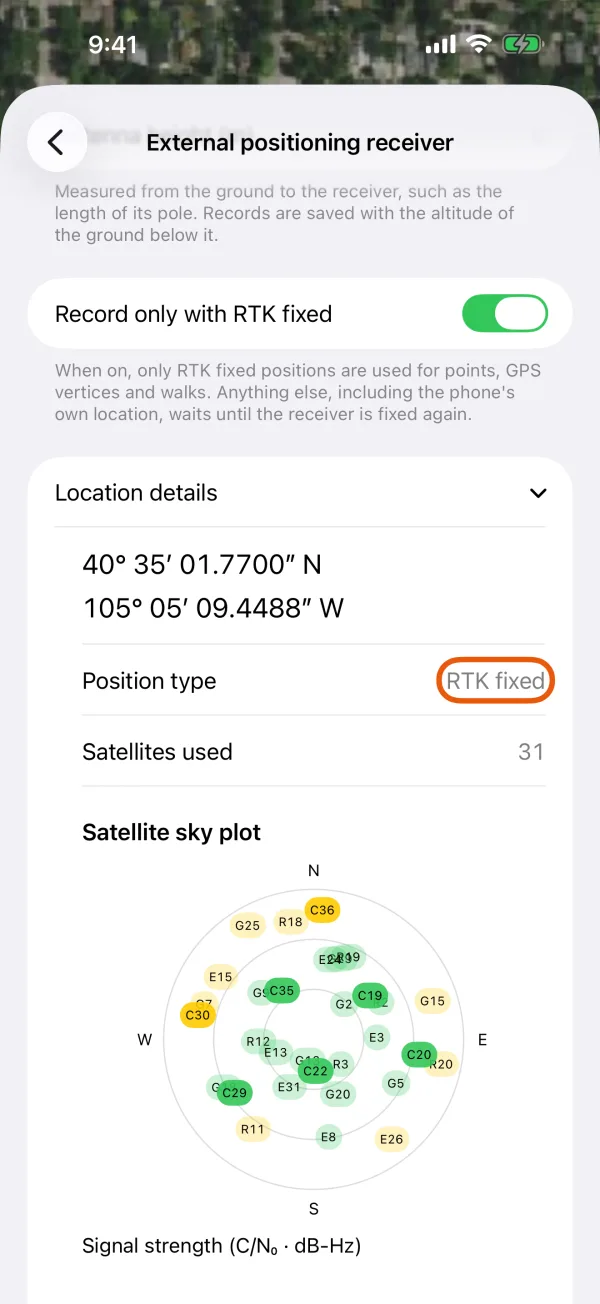
Location details, with the position type. Optional: set the antenna height.
Enter Antenna height (m), measured from the ground to the receiver, such as the length of its pole. Records then get the altitude of the ground below it.
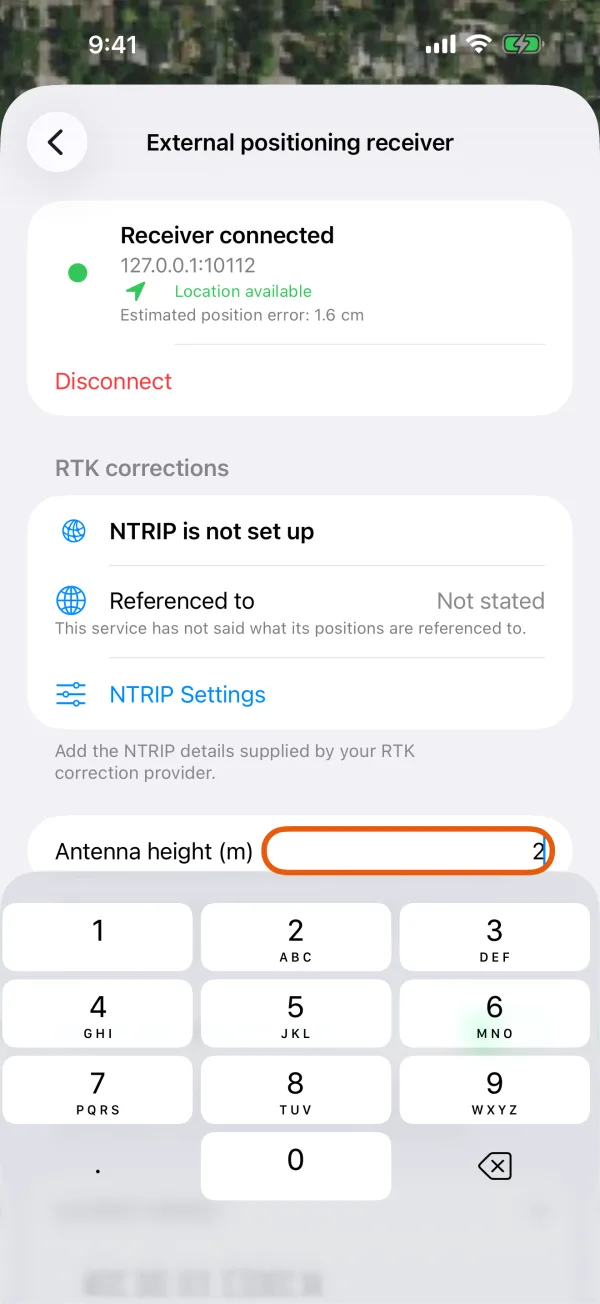
Antenna height and Record only with RTK fixed.
Open Settings and tap Location source.
It shows This device while you're using the phone's own GPS.
Location sourceSettings, with Location source marked. Tap your receiver.
Bluetooth LE receivers appear under Nearby Bluetooth devices. A receiver you paired in Android's Bluetooth settings, or one plugged in with a cable, appears under Paired and USB devices. On Wi-Fi, tap Connect over Wi-Fi and enter the address and port it sends positions on.
Your receiverBluetooth, paired and USB receivers in one list. Wait for Receiver connected and Location available.
The page shows the receiver and its Estimated position error. To see the Position type, Standard, RTK float or RTK fixed, tap Location details.
Receiver connectedConnected, with the estimated position error. Position typeLocation details, with the position type. Optional: set the antenna height.
Enter Antenna height (m), measured from the ground to the receiver, such as the length of its pole. Records then get the altitude of the ground below it.
Antenna height (m)Antenna height and Record only with RTK fixed.
Once the receiver sends positions, Location source shows its name, and every point, line and photo you record uses its position.
If it doesn't connect
- The receiver won't connect
- It says Connected, but no positions arrived: check that the receiver sends NMEA on this connection. See the receiver won't connect.
- I never get RTK fixed