 Dipper Field
Protect your work first
- Don't uninstall the app. Your projects are stored only inside Dipper Field on this device. Uninstalling it, or clearing its data on Android, can remove the only copy.
- Save what you can. Make a project backup and keep it somewhere safe, such as a cloud drive. See back up and restore a project. If that fails, export the record types you need with Export standard data. See export to GIS formats.
Note what happened
Support can help much faster with these details:
- Your device: iPhone, iPad or Android, the model, and the system version.
- The app version: open Settings and look at Version under About.
- What you were working on: the kind of project, and the record type, such as a point, line or area type, or an inspection.
- The file, if one was involved: its format, such as GeoPackage, Shapefile or KML, and where it came from.
- The receiver, if one was involved: its make and model, and whether it connects over Bluetooth, Wi-Fi or USB.
- The exact steps: what you tapped, what you expected, and what happened instead. Copy any message word for word, or take a screenshot.
Remove secrets
Never send these in an ordinary email:
- NTRIP usernames and passwords, cloud drive sign-ins, or access tokens.
- API keys or passwords in the address of a map service you added.
- Confidential project files or photos, unless support asks for a specific item and how to send it safely.
Check screenshots for passwords, keys and personal details before you attach them.
Send a crash report
If Dipper Field closed unexpectedly, it saves a report on the device. Crash reports stay on the device and are sent only if you choose to. The app says they hold "technical details only: the app version, the device model and where the app failed."
Answer the message when you open the app again.
It can take a moment to appear. Dipper Field closed unexpectedly asks whether to send the report. Tap Send report, or Not now to keep it for later.
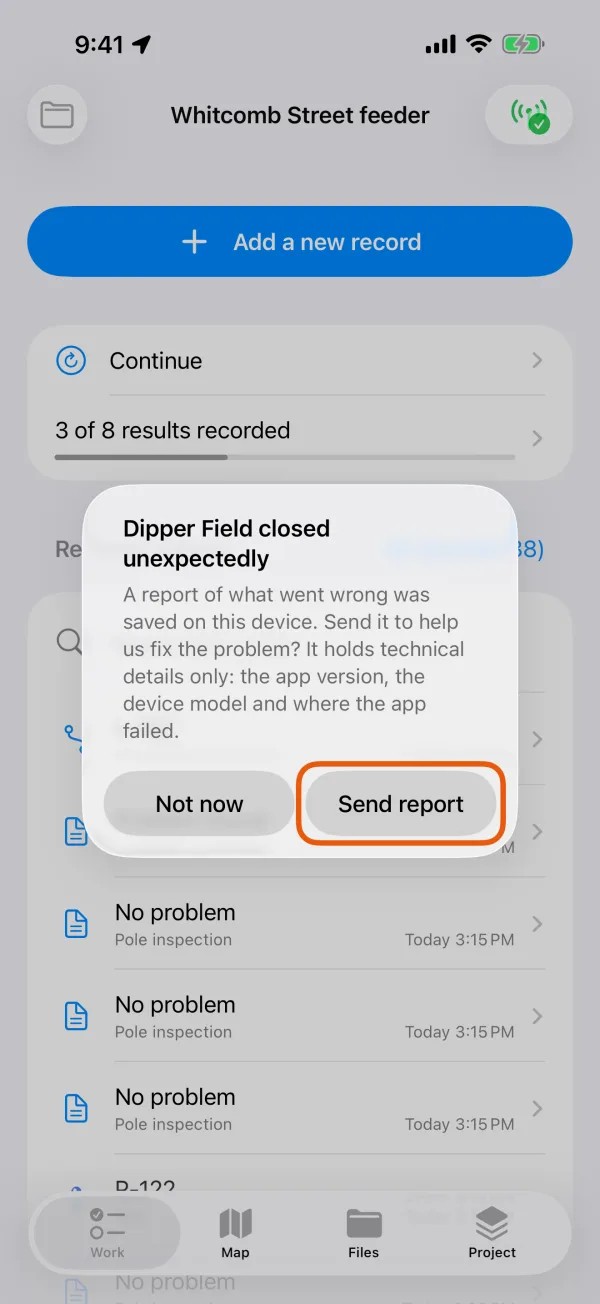
The message shown after an unexpected close. Or send it later from Settings.
Under About, tap Send crash reports. This row appears only while there's a report to send. Delete crash reports removes them instead.
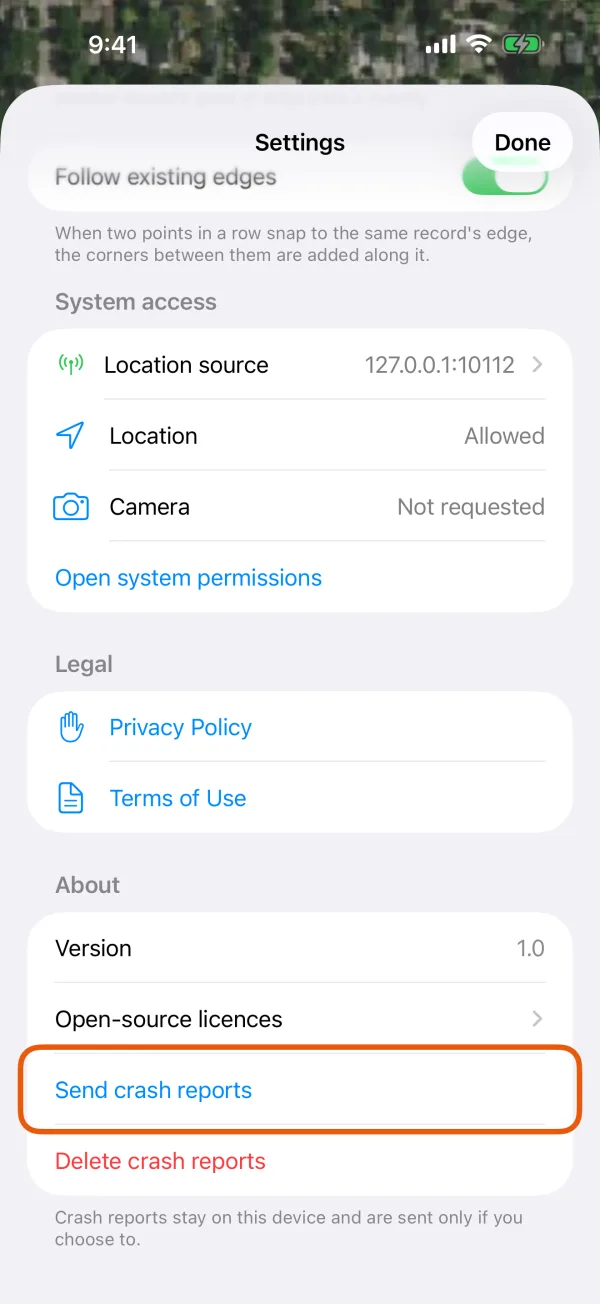
About, with Send crash reports and Delete crash reports. Choose Mail and address it.
The share sheet opens with the report file and the support address. Put [email protected] in the To field, then send.
Answer the message at the next launch.
Dipper Field closed unexpectedly asks whether to send the report. Tap Send report, or Not now to keep it for later.
Send reportThe message shown after an unexpected close. Or send it later from Settings.
Under About, tap Send crash reports. This row appears only while there's a report to send. Delete crash reports removes them instead.
Send crash reportsAbout, with Send crash reports and Delete crash reports. Choose your email app.
Email apps fill in [email protected] and the subject Dipper Field crash report, with the report attached. Send it.
Contact support
Email [email protected] with the details above. Describe the problem first, and say whether you have a backup of your work.